When printing your discoveries, the default behavior is for the exported output to reflect the value and slicer filtering that you can see in Pyramid. However, you can also export the content without the value-filtering for Microsoft Excel or the text formats CSV, JSON, or XML, by selecting the Remove value-based filters option from the Print & Export options. You may want to do this to share fuller information or if you are performing further analysis of your data outside of Pyramid.
Note: Printing and exporting to JSON, XML, and CSV is not available in the Community edition.
Data Extraction and Value-Based Filters
Print & Export dialog
For information about opening this dialog and details of the other Export types, see Print and Export across the system.
Export to Excel, CSV, JSON, and XML
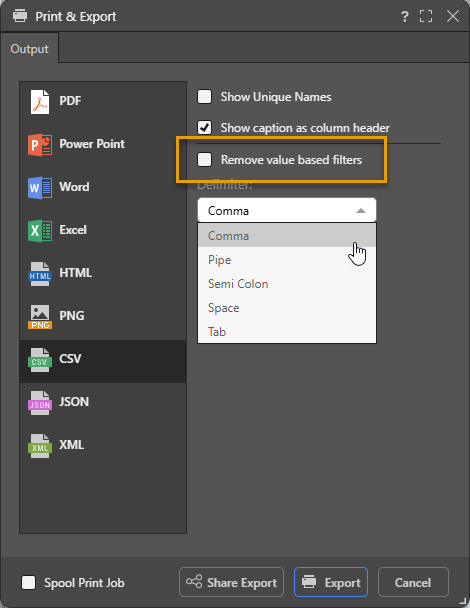
Remove value-based filters
Where a value-based filter has been applied to data, select this option to remove that filter and export the entire dataset rather than only the filtered values.
Note: This option removes value filters and not slicer filters. As an example, it removes value filters that limit data based on values and metrics, such as top 10% of sales, but does not remove the filtering effect of slicers, such as where France is the element selected from a Country slicer. For more information, see Value Filtering in Discover.