The Formula Picker allows you to filter the query by a formula based on the selected date element. Start by selecting the granularity level, then select or type in the date element, then choose the required function. (Which functions are available depends on the selected level of granularity.)
The example below filters the query by all dates in 2009 (YTD), up to and including 18 August:
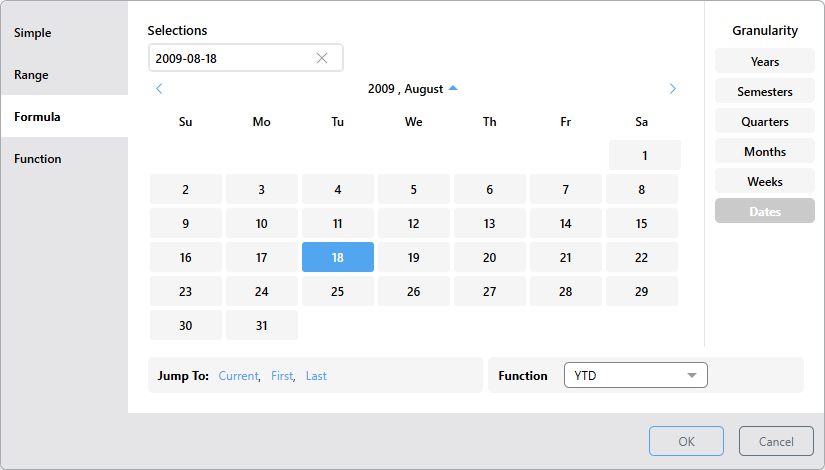
In this dialog, you are filtering the query by a functional selection by choosing the required granularity, date-time period, and function. Pyramid then calculates the formula on the fly, without producing any calculation elements (such as those created by the Time Calculation wizard).
Tip: If you haven't selected a date from the date picker, the editable text field displays the expected date format (for example, YYYY-MM-DD). Selecting a date from the date picker automatically populates the field using the correct format. In either case, you can overwrite the value in the text field and press Enter to update the date.
Selection Formulas
The Formula picker supports the functional selectors described below. You can also review detailed documentation about each of these functions here.
"To Date" Formulas
Year to Date (YTD)
The Year to Date function is available for all granularity levels. It filters the query by all dates or time periods from the beginning of the selected year, up to and including the selected date.
 Examples: YTD
This example will filter the query by all dates in 2009 (YTD), up to and including 18 August:
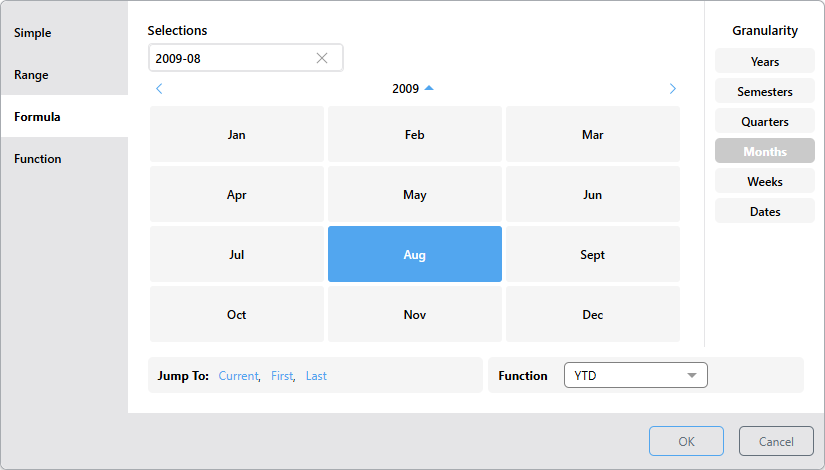
Here, the granularity is set to months; the selection will filter by all months in 2009, up to and including August:
Quarter to Date (QTD)
The Quarter to Date function is available for levels lower than quarters: months, weeks, and dates. It filters the query by all dates or time periods from the beginning of the selected quarter, up to and including the selected element.
Examples: QTD
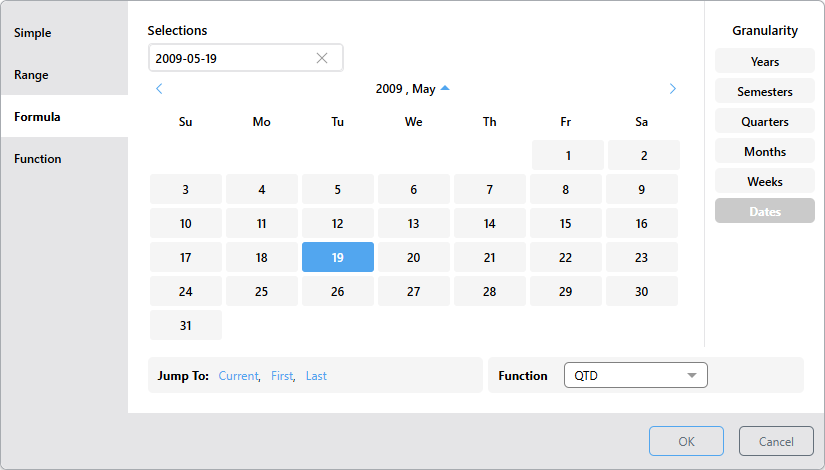
Here, the selection filters the query by all dates from the beginning of Q2, 2009, up to and including 19 May:
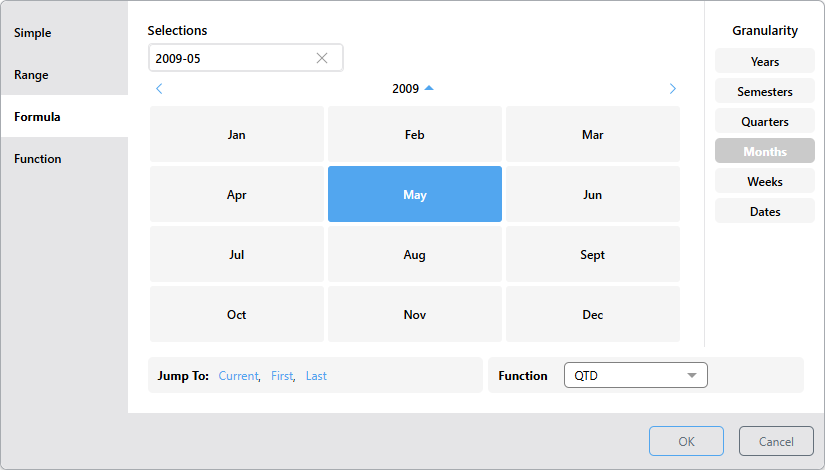
Now the granularity is changed to months; the selection will filter by all months in Q2 2008, up to and including May:
Month to Date (MTD)
The Month to Date function is available for levels lower than months; that is, weeks and dates. It filters the query by all dates or weeks from the beginning of the selected month, up to and including the selected element.
Examples: MTD
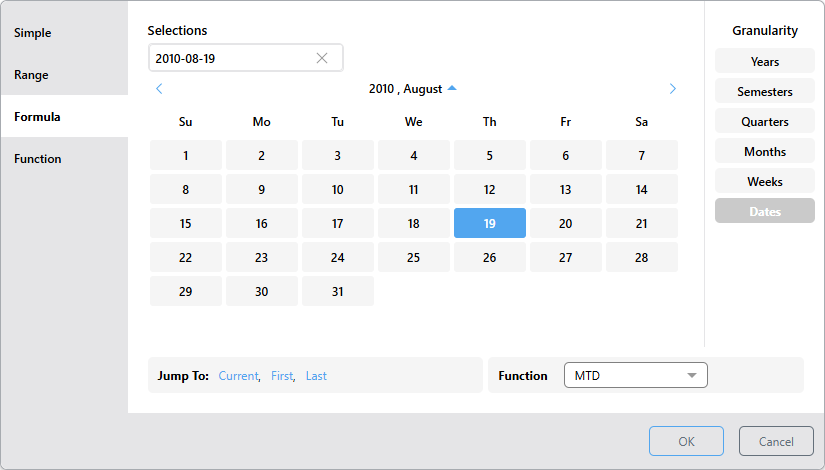
This selection filters the query by all dates from the start of August 2010, up to and including 19 August:
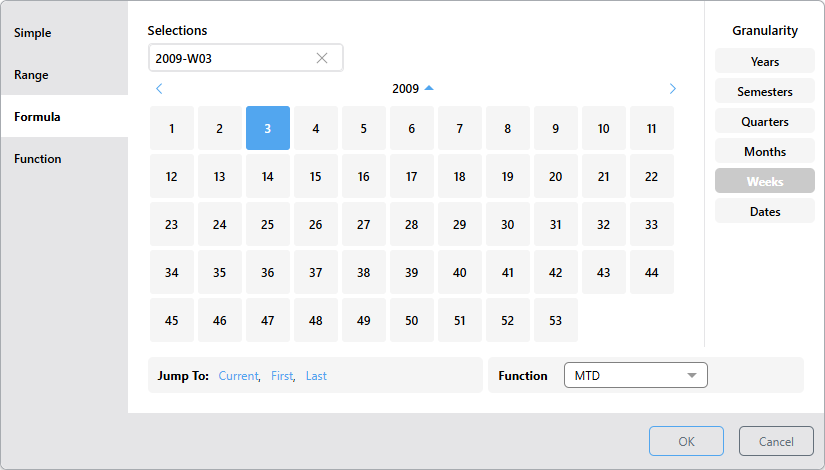
This selection filters the query by all weeks in 2009, up to and including week 2:
Week to Date (WTD)
The Week to Date function is available for dates. It filters the query by all dates from the beginning of the selected week, up to and including the selected element.
Example: WTD
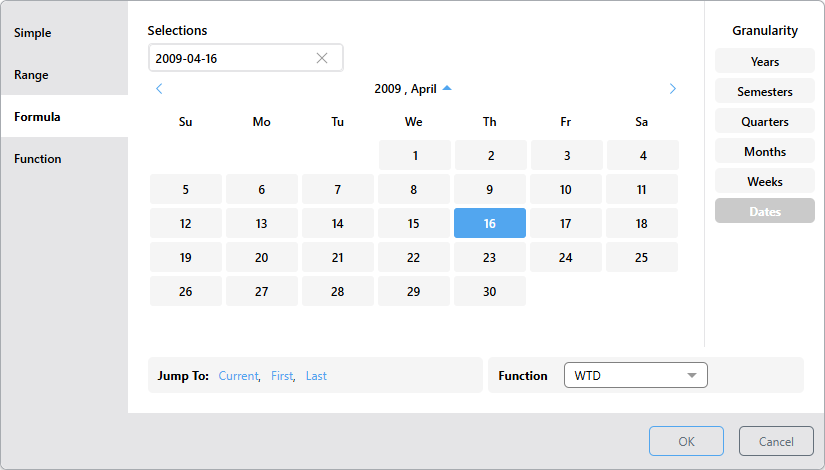
Here, the query will be filtered by all dates from 12 April 2009 (the start of the week where the selection was made) up to and including 16 April 2009:
Advanced Formulas
Some of the Formulas include two time period selectors; the Granularity defines the unit for your selection, while the date in the Selection Formula dropdown list defines the time window that determines the "offset" used by the formula to create the selection:
- For Next and Last formulas, a range of values is selected. The size of the selected unit is defined by the Granularity, while the time window within which the units are selected is defined by the Selection Formula. For example, if Last is selected, the Granularity is set to Dates, and the Selection Formula is Weeks, the system selects one day per week from the last n weeks.
- For Lag and Lead formulas, a single unit is selected. The selected unit is shifted forward or backward based on the Selection Formula. For example, a selected Date and "Lead 3 Weeks" formula returns the single value for the date that falls three weeks after the selected Date.
Next
The Next selection formula selects values whose units are determined by the Granularity (green arrow below) in the next n time periods (purple arrow) after and inclusive of the Selections date. This option is available for all granularity levels. It filters the query by all dates and periods and returns a date range.
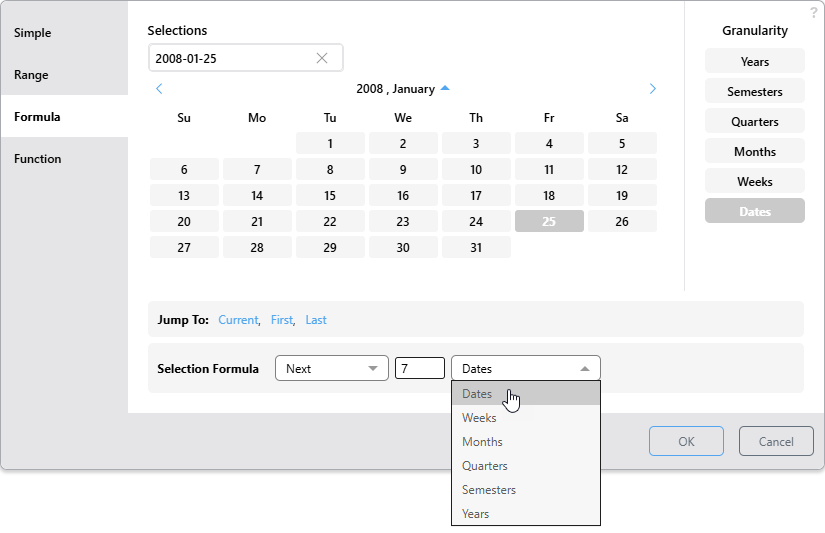
With the Formula tab selected:
- Select your Granularity and choose the value you want to use as your reference in the main date picker.
- Define your Next function (pick Next > Number of periods > Period from the Selection Formula):
- When Granularity and Period match, the formula simply means "next X periods." For example, choosing Weeks Granularity with "Next 3 Weeks" selects the next three weeks inclusive of the selected date.
- When the Granularity uses smaller units than the Period, the formula sets the length of the selection period and the granularity sets the size of each selection within that. For example, the Dates Granularity plus "Next 3 Weeks" selects the date and then the same day from each of the next two Weeks (see the Advanced Example below).
Once selected, the date is shown in the Selections field at the top of the dialog. It is this date that your selection formula will count forwards from.
Note: You cannot select a Period with smaller units than your Granularity selection.
Basic Example: Next Three Days
The preceding example filters the query to select 3 days after the reference date of January 2, 2009 (inclusive). Since the Granularity (green arrow above) and Period (purple arrow) match, the selection formula selects the values for 2009-01-02, 2009-01-03, and 2009-01-04.
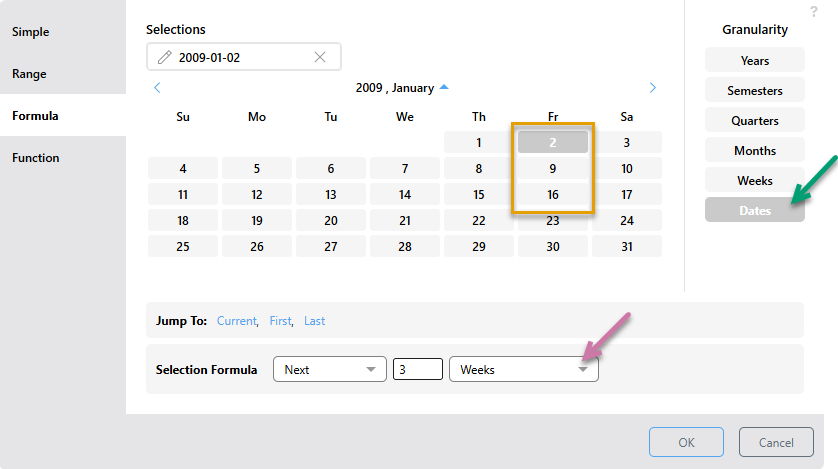
Advanced Example: One Day Per Week, Next Three Weeks
The following example includes dates after the reference date of January 2, 2009:
- Granularity indicates that the selections are individual Dates (green arrow below), one of which is the reference date.
- The Selection Formula "Next 3 Weeks" (purple arrow), then indicates that the dates should be selected from the three week window after and including the selected date.
As a result, the selected dates are 2009-01-02, 2009-01-09, and 2009-01-16 (orange highlight):
Last
The Last selection formula selects values whose units are determined by the Granularity (green arrow below) over previous periods (purple arrow) counting backward from the Selections date.
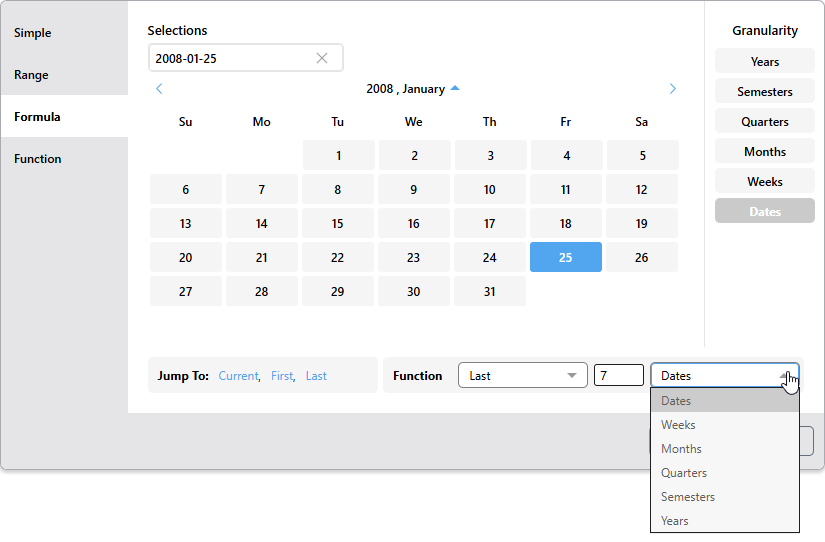
With the Formula tab selected:
- Select your Granularity and choose the value you want to use as your reference.
- Define your Last function (pick Last > Number of periods > Period from the Selection Formula):
- When Granularity and Period match, the formula simply means “last X periods.” For example, choosing Weeks with "Last 3 Weeks" selects the three weeks up to and including the selected date.
- When the Granularity uses smaller units than the Period, the formula sets the length of the selection period, and the granularity sets the size of each selection within that. For example, the Dates granularity plus "Last 3 Weeks" selects the selected day and the same day for each of the previous two Weeks (see the Advanced Example below).
Once selected, the date is shown in the Selections field at the top of the dialog. It is this date that your selection formula will count backwards from.
Note: You cannot select a Period with smaller units than your Granularity selection.
Basic Example: Last Seven Days
The preceding example filters the query by 7 days prior to the reference date of January 25, 2009. Since the Granularity (green arrow above) and Period (purple arrow) match, the selection formula selects the date range from 2008-01-25 to 2008-01-19.
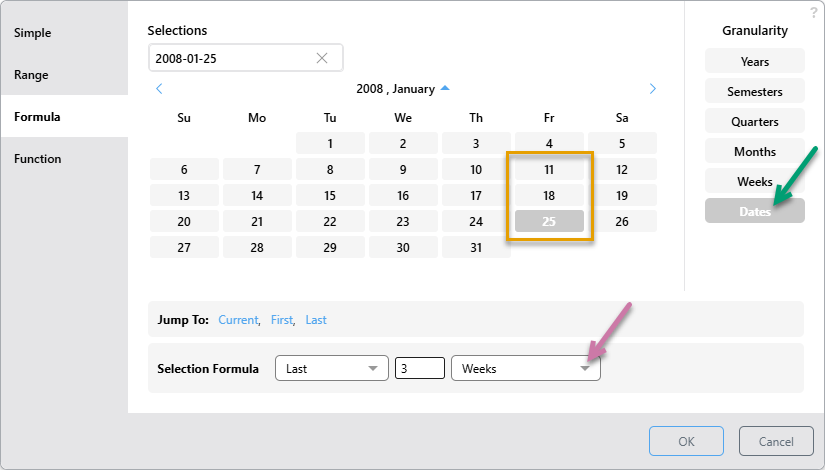
Advanced Example: One Day Per Week, Last Three Weeks
The following example also includes dates prior to the reference date of January 25, 2008:
- Granularity indicates that the selections are individual Dates (green arrow below), one of which is the reference date.
- The Selection Formula "Last 3 Weeks" (purple arrow), then indicates that the dates should be selected from the three week window prior to that.
As a result, the selected dates are 2008‑01‑25, 2008‑01-18, and 2008-01-11 (orange highlight):
Lag
The Lag function is available for all granularity levels. It filters the query by the single date that is earlier than the selected date by the specified number of periods.
- Select the Granularity.
- Select the Lag function.
- Specify the number of periods earlier than the selected date.
- Choose the units (type of period). (The available selections depend on the selected granularity.)
Examples: Lag
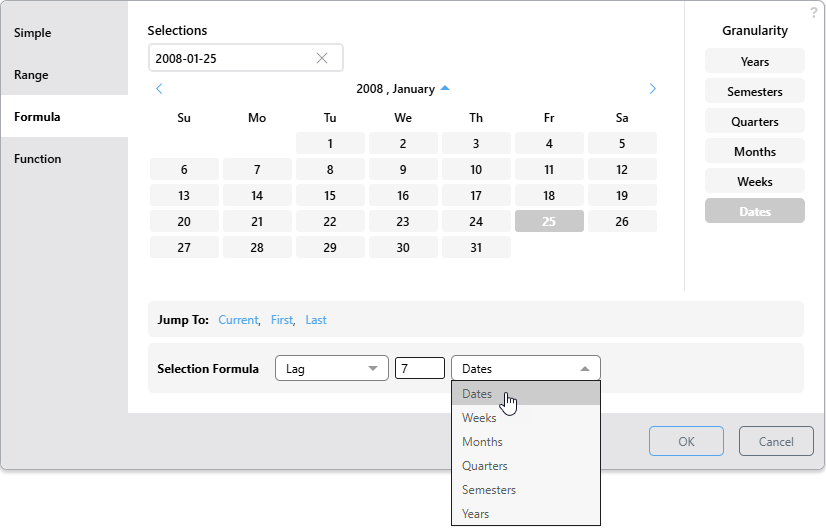
The example below filters the query by the date that is 7 days earlier than January 25, 2008 (January 18, 2008):
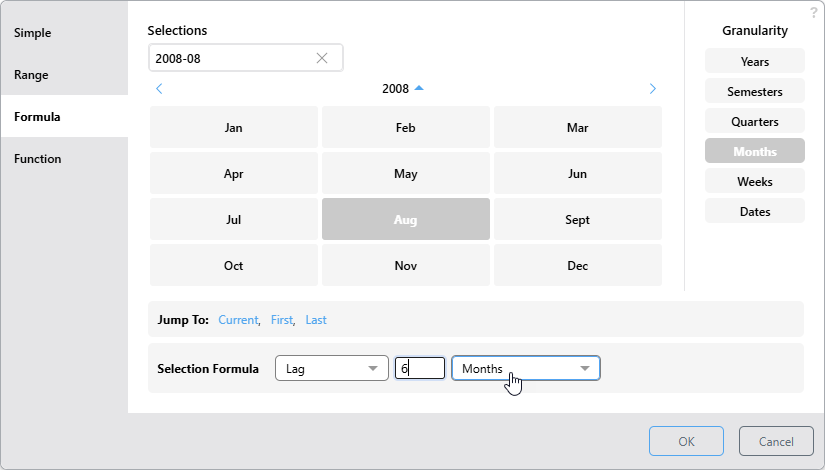
In this example, the query is filtered by the date that is 6 months earlier than August, 2008 (February, 2008):
Lead
The Lead function is available for all granularity levels. It filters the query by the single date that is later than the selected date by the specified number of periods.
- Select the Granularity.
- Select the Lead function.
- Specify the number of periods later than the selected date.
- Choose the units (type of period). (The available selections depend on the selected granularity.)
Examples: Lead
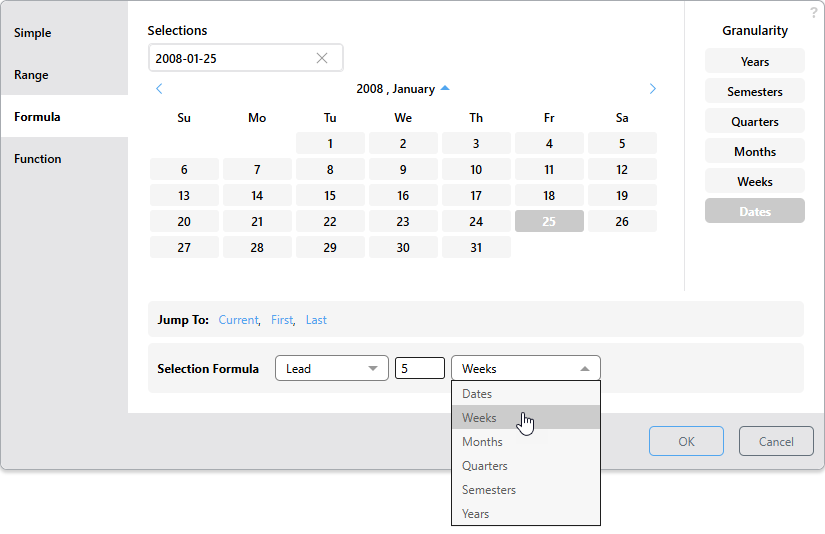
The example below filters the query by the date that is 4 weeks after January 04, 2008 (February 01, 2008):
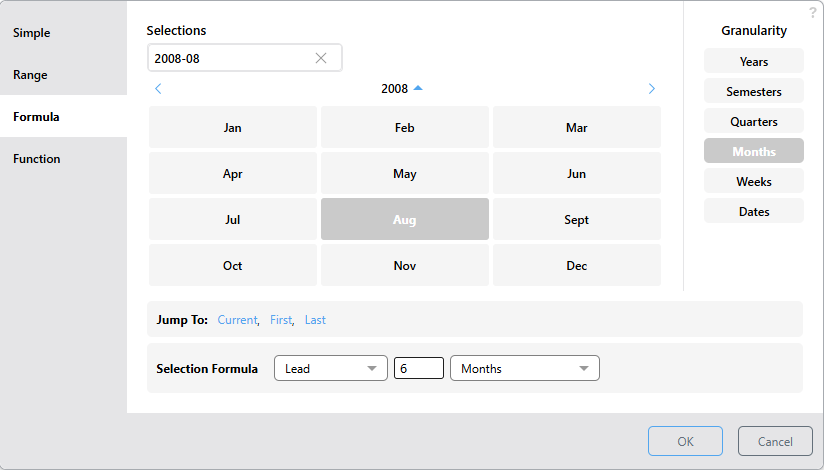
In this example, the query is filtered by the date that is 6 months after August, 2008: