For subscriptions, the schedule run time acts as the current date when evaluating date-based filters that use functions. This means that, if your report contains a date slicer where the Last Month function has been selected, the slicer selection will be the last month relative to the schedule execution time and not from a fixed date. A typical use of this might be to distribute your Sales report to your team on a monthly basis, with this dynamic function selecting a new "last month" for the sales data in the report each time the schedule is run.
Dynamic date filtering occurs because of two configurations:
- The subscription runs on a regular schedule (once a month at a specific time, say).
- The dynamic selector function in the date calendar filters the data in the report relative to that scheduled time each time the subscription runs.
Setting up the Configuration
Setting up the Date Function
In your report, you need to incorporate a Date-Time slicer which is configured to use one of the Dynamic Selector Functions. In this example, we select "Last Month" as we want the Sales data in our visual to reflect the sales for the last month:
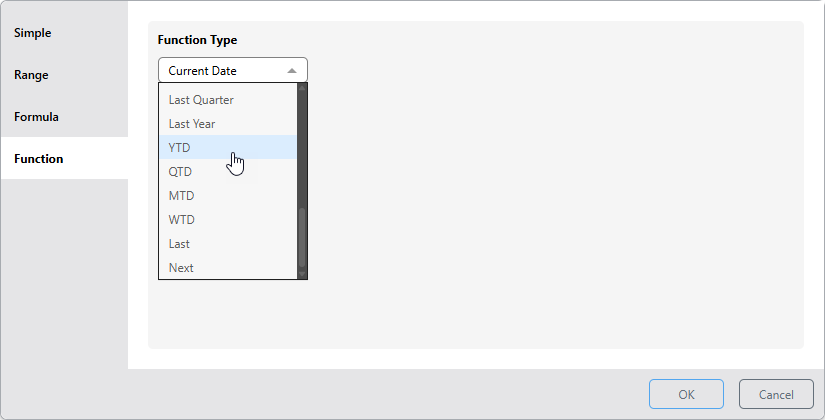
- Click here for more information about Date Functions
Setting up the Subscription Schedule
In Discover, Publish, Present, and Tabulate, depending on your permissions, you need to set up your Subscriptions to build and distribute your report on a scheduled basis using the options available from the Schedule tab:
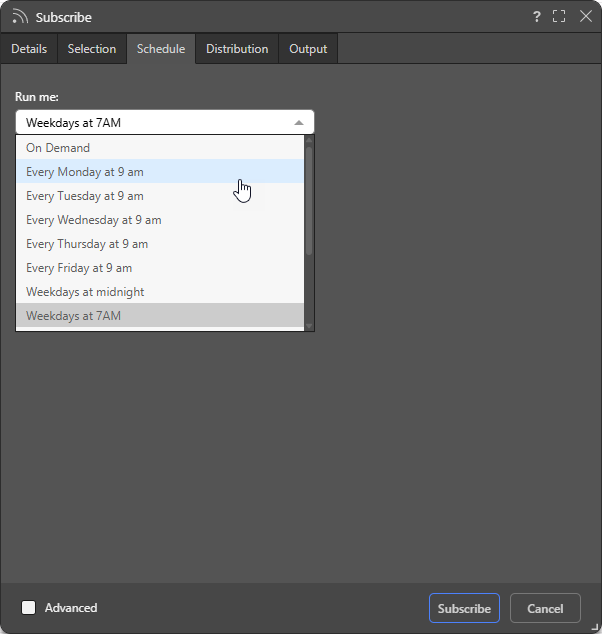
Choosing one of these options (or the Advanced options enabled from the checkbox at the bottom of the dialog), sets up the recurring build. When the scheduled build runs, your date slicer selection (above) applies based on the current date; that is, the date when the subscription process runs.
- Click here for details describing how to set up your Subscription